Introduction
LinkedIn is a great profile that or making business connections and demonstrating credibility in your industry by highlighting your achievements. In the video “LinkedIn Profiles for Social Business Success,” Bert Verdonck (2017), a Master Trainer on LinkedIn provides great tips and tricks to help you effectively use the platform and have your profile stand out from others.
Get started With the Essentials
A properly managed and updated LinkedIn profile can help you attract new prospects and get your name and your organization to be noticed. Verdonck (2017) mentions that a good profile should have:
- Visibility: in which your profile is easily accessible and looks good online
- Strong Presence and Connectivity: Shows how strong your network is
- Likeability: A good reputation
- Credibility: Publishing articles to help raise your personal brand and your social capital
- Trustability: Your profile can help you be viewed as a role model and leader.
In order for your profile to contain these qualities, it is important that your profile has your:
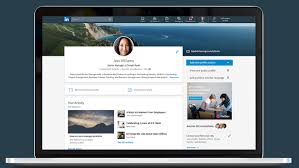
- Name: with different variations of spellings if applicable
- Picture: A recent headshot with a neutral background
- Headline: a thought-provoking statement to help you connect and start conversations with a potential business lead.
- Location: An address where people can find you or your organization
- Industry: To give others a better understanding of what you do.
Your Contact Information
Your contact information should consist of your email, instant messenger, phone, and address. These should be current and professional sources of contact.
Besides email, social media accounts are a popular way for people to get in touch with you. If you have a professional Twitter account you can link it to your profile, along with two other websites where people can learn more about you or your business. You can also indicate how you want people to contact you. For example, Verdonck (2017) mentions that he advises people who want to connect with him to add a personal note with their invitation, and people who have questions are invited to go to one of his groups to ask their question. This call to action can be used during your summary and your experience sections.
Your Summary
Your summary should align your personal, professional, and corporate branding together. You can start by giving an overview of what your organization does in one or two paragraphs depending on the size of your organization. You can then provide some information on your professional role including what you do. Verdonck (2019) states that you may even add in what you do not do and what you are not interested in. This will help to prevent any unnecessary inquiries.
Using YouTube videos or other files such as a PDF, MS Word or PowerPoint in your summary can also help it stand out and increase the engagement of your profile.
Your Experience
Just like in your summary, you want to provide information about your organization and professional role. This time you want to go more into depth about what you do. For example, state what your daily tasks consists of, as well as when and why people should get in touch with you. You may even want to share your responsibilities and your achievements in this section. Verdonck (2017) suggest making it as tangible as possible by providing absolute numbers or percentages if applicable.
You can then go into a description of your previous work experiences. You can explain what your roles and responsibilities were, your achievements, why you loved that job, and what you learned from it. It is important to try to include recent and relevant previous work experiences in this section. Ending this section with a link or a way of contact will allow people to learn more.
Using media to share your experience is also very key in this section. This technique can help set your profile aside from others, as your profile may be more visually appealing and intriguing. Again, providing a call to action will help people to continue the conversation or learn more about you and your organization.

Create Your Own Brand
LinkedIn has a section where you can write a description and highlight the special things you have done.
- This includes listing any awards you have received, who awarded it, and the date you received it.
- You can also list any patents you may have, including its particulars.
- Listing your certifications will show others that you meet industry standards, and may even place you into a higher-skilled level than others who may have a similar experience (Verdonck, 2017). Be sure to include the certification authority, your license number, and a certification URL if available.
LinkedIn also has a place for you to showcase your projectsand connect them to colleagues and clients. By adding projects to your LinkedIn profile,you increase the chances of people learning what you can do to help them.
- Start with giving your project an attractive project name.
- Continue with linking it to your occupation and a project URL, if available.
- Add a short description with results if you can.
- Check confidentiality and compliance factors before sharing any concrete information.
- Indicate the start date and end date, unless your project is on-going,
- Add the relevant team members and colleagues involved. This can show that it was a collaborative effort and that you are a team player.
Another great feature LinkedIn provides is allowing you to publish content such as articles to help you build your brand. “You can use it to see what your peers are reading, learn from LinkedIn influences, or stay on top of your industry’s news to share ideas on the job” (Verdonck, 2017). After you add a cover photo and engaging headline, you can start writing your article. Verdonck provides some tips on writing an effective article.
Verdonck mentions that the article should:
- Be about your specific area of expertise,
- Have an engaging title
- And, use specifics, numbers, examples, and verifiable statistics.
Providing some of your expert knowledge on your profile can also offer something that is helpful to your target audience. This can include a one pager, a PowerPoint presentation, a PDF document, or even an infographic or a short video. Verdonck (2017) gives an example of an expert in search engine optimization (SEO) sharing 10 practical tips on SEO. Not only does this show one’s expert knowledge but it also plays a part in the give and receive concept, in which others may want to return the favour.
Skills and Recommendations
When adding your skills to your profile it is important to only include those that are relevant, real, and professional. For example, Verdonck (2017) suggests avoiding using “buzz words like dynamic, motivated, passionate, responsible, innovative, strategic, or creative”. Instead, focus on professional skills that make you stand out.
LinkedIn also allows you to have recommendations on your page, in which others may say some good things about you and your work ethic or skills. You can scroll to the recommendations section on your profile, and click on the “ask to be recommended” link. It must be someone you are directly linked with on LinkedIn. A good recommendation usually includes an indication of your relationship with that person, examples of the key skills that they were impressed by, along with genuine and tangible results that you showed (Verdonck, 2017).
Your Education
The education section of your profile should consist of the following:
- The school, college or universityyou graduated from
- The name of your degree.
- Your field of study.
- Your grade, if it is worth mentioning
- Activities and societies if applicable
- Extracurricular activities you may have participated in
- The year you finished your degree, if applicable
- A general description of why you chosethis particular study or school
- You could add a “topic of your thesisor other papers you’ve writtenthat you feel fit here” (Verdonck, 2017).
- You could also add what you learned andhow you changed.
It is also a good idea to add any kind of continued education you may have completed. This can include any form of formal education or certifications. You may even add your test scores if they are relevant, as well as the test date, and a brief description of it.
Make the Most of Your Personality
In order to add a personal touch to your profile, you can add your personal interests to show some personality on your page. For example, Verdonck (2017) has “Happy Chocoholic” in his summary. Not only does this add some personality to his profile but it also helps start conversations with others.
Adding any volunteer work you have done is also a great way to add a personal touch to your profile. It is key to indicate the responsibilities your volunteer work consisted of, the goals you have achieved and what skills you acquired from it. You may even find that others visiting your profile have also done the same volunteer work as you. Not only can this create new connections for you, but it can also show others that you are a passionate professional who is good at multitasking (Verdonck, 2017).
Extra Strategies to Stand Out
There are other ways for your LinkedIn profile can stand out compared to others. For example:
- Maximizing keywords on your profile can help your target audience to find you. This includes using words, phrases, and even different spellings in your profile that they would use.
- Engaging with others using LinkedIn groups allows you to pop up on people’s radar easily and brings more people to your profile.
- Following leaders that are the most influential to your career can help you stay motivated as well as updated on the latest information. Interacting with these posts can make you visible to like-minded people.
- Control your visibility using privacy settings to allow people to become more or less physical, approachable, and successful.
- Use special symbols, icons, and text to differentiate your profile from others, especially for those using the LinkedIn profile app.
Conclusion
Verdonck has provided great advice on how to effectively use LinkedIn for social business success. I used some of these tips and have already noticed great results. For example, aside from liking, sharing, and commenting on others’ posts, I started engaging in LinkedIn groups. This has allowed me to get noticed by others more easily and has even bought them to my profile. Not only do I ask questions in these groups, but I also provide others with my thoughts and knowledge on certain topics. This allows others to see my expertise and build connections with them. Another beneficial tip I learned from Verdonck that I now use is: following channels and leaders that are influential to my career. This has allowed me to receive a constant feedof articles on my homepage every time they publish one.By interacting with these posts,I have started to become visible on their radar, and people in my network see that I am staying on top of the latest information. As a result of using Verdonck’s tips, I have noticed an increase in the number of people who have viewed my profile and have even created some great connections with people from my industry.
Now that you have all these tips and tricks, you can spice up your profile to help build great connections with others from your industry.
References
Verdonck, B. (2017). LinkedIn profiles for social business success. Lynda. Retrieved from https://www.lynda.com/LinkedIn-tutorials/Welcome/512777/581571-4.html

 Manisha's Blog